MonClaw: A Minimal OpenClaw Built with the OpenCode SDK
Openclaw captures something magical: a useful AI assistant. If you squint, a useful assistant and a coding agent are quite alike. This post discusses building a minimal implementation using the Opencode SDK.
Disclaimer: MonClaw is experimental. Use at your own risk and exercise extreme care and caution, especially with sensitive data.

As I am writing this, Openclaw is at 175k Github and continues its historic ascent. We’ve been exposed to AI agents for a while now. What made Openclaw different? To get a sense of that, I tried to build a small, lightweight clone using the Opencode SDK.
I relied mostly on the recently released OpenAI Codex. This project, MonClaw, was an opportunity to take the app for a spin and I can report that I really like it.
TUI vs GUI? I am not sure I have a preference. Unlike Claude Code or Opencode, it feels to me (maybe I am not very accustomed to it) that with the Codex app, you need to be more present and that you’re expected to be there and not have multiple subagents running at the same time. You’re more involved, essentially.
What makes Openclaw special
- Proactiveness and ability to run regular jobs via a ‘heartbeat’
- “self-improvement”, the ability to learn from past session or perform research or fetch new capabilities. This is nothing more than Agent Skills but with an explicit proactiveness about acquiring the, in the prompt
- Meets you where you are in a familiar chat app: Telegram, Whatsapp, etc.
- Remembers things about you and writes them down in its memory
- Wild west vibes: it can do a lot and it feels risky. I am half joking about this one. I think Openclaw’s (clawdbot) ‘wild’ aspect contributed to its popularity
- Opensource and self-hosted with ability to swap the intelligence layer (model). By owning the the infra on which the agent is deployed, there is a sense of ownsership. It feels yours. And talking through a familiar chat app only reinforces taht.
I think thishis list is the core: it’s not about fancy UI, it’s about behavior. The heartbeat makes the agent feel alive between prompts. The skills angle turns one-off work into reusable capability. Running inside your chat app removes friction. Memory makes the assistant feel personal, and the ‘wild’ vibe makes it feel powerful.
In practice this means you are mixing long-running context (the main session) with small periodic tasks (heartbeat) and a tool surface that can actually act. It’s easy to overbuild this, but the essence is that these are small, boring primitives wired together in the right places.
I spent most of the time trimming, not adding: one session, one memory file, one heartbeat file, and a tiny outbox so the agent can speak when there isn’t an incoming message.
1
heartbeat + skills + channels + memory + tools
Opencode SDK, Hooks and Plugins
Opencode SDK enables controlling it programmatically. Instead of using the terminal to interact with the Opencode server to send prompts to the LLM, the SDK lets us bypass the terminal (TUI) and use JS functions to control Opencode. Under the hood, they’re both sending HTTP request to the Opencode server.
1
2
3
4
const oc = createOpencode({ apiKey })
const ses = await oc.session.create({ model })
await oc.session.prompt({ id: ses.id, parts: [{ text: "Hi" }] })
const { messages } = await oc.session.messages({ id: ses.id })
This is extremely handy. We can build programs around Opencode and let it handle auth, providers, and core inference. It becomes our platform. The essentials are small: create a session, send a prompt, read messages.
In addition to that, we have a powerful extension mechanism that takes the form of hooks/plugins. Hooks let you add tools, listen to events, or tweak parameters without touching the server. A coding agent is an LLM with tools, and hooks are how you add those tools cleanly and interact with their input and output. This can be used for tracing and observability, security, notification and whatever other usecase you can think of.
In MonClaw, I (read: Codex under my supervision. But who’s keeping track?) added a memory tool to mimic Openclaw’s memory. The agent can call it to append durable facts to a single MEMORY.md file.
1
2
// tool: save_memory
await tools.save_memory({ text: "User prefers short answers." })
I also added a send_channel_message tool so the heartbeat can proactively notify you even when you didn’t send a message. The adapter reads the outbox and delivers it to the last used channel.
1
2
// tool: send_channel_message
await tools.send_channel_message({ text: "Heartbeat check: all green." })
The outbox is there because Telegram/WhatsApp bots only reply when a message comes in. Heartbeat is the opposite: it runs on a schedule and may need to notify you without any incoming chat. So the tool just writes a tiny JSON file to .data/outbox/. Each channel adapter (Telegram/WhatsApp) periodically drains that directory and sends whatever it finds. This keeps the core agent stateless and avoids coupling heartbeat to a specific channel implementation.
Flow wise: heartbeat runs in its own session → summary is appended to the main session → the agent decides whether to notify → send_channel_message writes to outbox → channel adapter sends it to the last-used chat.
These tools live in .agents/plugins and Opencode loads them dynamically (Bun import() under the hood). They are just JS modules that return a tool map.
1
2
3
4
5
6
7
8
9
10
11
12
13
14
15
// .agents/plugins/memory.plugin.js
import { tool } from "@opencode-ai/plugin"

export default async () => ({
  tool: {
    save_memory: tool({
      description: "Append one durable user fact to MEMORY.md",
      args: { fact: tool.schema.string() },
      async execute({ fact }) {
        // write to .data/workspace/MEMORY.md
        return "Saved durable memory."
      },
    }),
  },
})
1
2
3
4
5
6
7
8
9
10
11
12
13
14
15
// .agents/plugins/channel-message.plugin.js
import { tool } from "@opencode-ai/plugin"

export default async () => ({
  tool: {
    send_channel_message: tool({
      description: "Queue a proactive message to the last used chat",
      args: { text: tool.schema.string() },
      async execute({ text }) {
        // write to .data/outbox/*.json
        return "Queued message."
      },
    }),
  },
})
And the skill installer is also a plugin: given a GitHub tree URL, it sparsely checks out the skill folder and drops it into .agents/skills.
1
2
3
4
5
6
7
8
9
10
11
12
13
14
15
// .agents/plugins/install-skill.plugin.js
import { tool } from "@opencode-ai/plugin"

export default async ({ $ }) => ({
  tool: {
    install_skill: tool({
      description: "Install a skill from a GitHub tree URL",
      args: { source: tool.schema.string() },
      async execute({ source }) {
        // sparse-checkout + copy into .agents/skills
        return "Installed skill."
      },
    }),
  },
})
MonClaw: Giving Claws to Opencode
MonClaw keeps everything as thin as possible. It reuses Opencode’s session model and only adds the missing behavior.
The heartbeat is just a scheduled task list in a separate session whose summary is injected back into the main one, then the agent decides whether to message you proactively.
That proactive message uses a tool that writes to an outbox, and each channel adapter (Telegram + Whatsapp for now) drains it and sends it to the last used chat. Skills are plain files, and the prompt nudges the agent to capture new ones after a task is done.
Memory is a single file plus a tool to update it, so the agent can write down stable preferences without bloating the prompt. Channels are adapters that map chat messages into the same shared session, so ‘/new’ is the only thing that changes the context.
In practice this keeps debugging sane: you look at one session log, one memory file, and one outbox. Everything else is just plumbing. The heart of it is that Opencode already gives you sessions; MonClaw just makes them feel alive.
- Heartbeat →
.data/heartbeat.md+ scheduler + separate session..data/heartbeat.md → run → summary → main session - Self-improvement → skills + a prompt nudge to use skill-creator.
skill-creator → new SKILL.md - Chat apps → Telegram + WhatsApp adapters (grammy/baileys), one shared session.
1
ask(channelMsg) → session.prompt(main)
- Memory → one file (
MEMORY.md) with a tool to update it.save_memory("prefers short answers") - Wild west vibes → tools + local execution, kept intentionally small.
tools.run() → do work - Open source + self-hosted → Bun + Opencode SDK.
bun + opencode sdk
Telegram + WhatsApp (and pairing)
Channels (Telegram and WhatsApp) take an incoming message, map it to a single shared OpenCode session, and send the reply back. We use grammy for Telegram and baileys for WhatsApp.
Telegram is straightforward (bot token, webhooks or long polling). WhatsApp is more finicky (QR pairing, connection state, occasional reconnects), but once connected it behaves the same way: text in, text out.
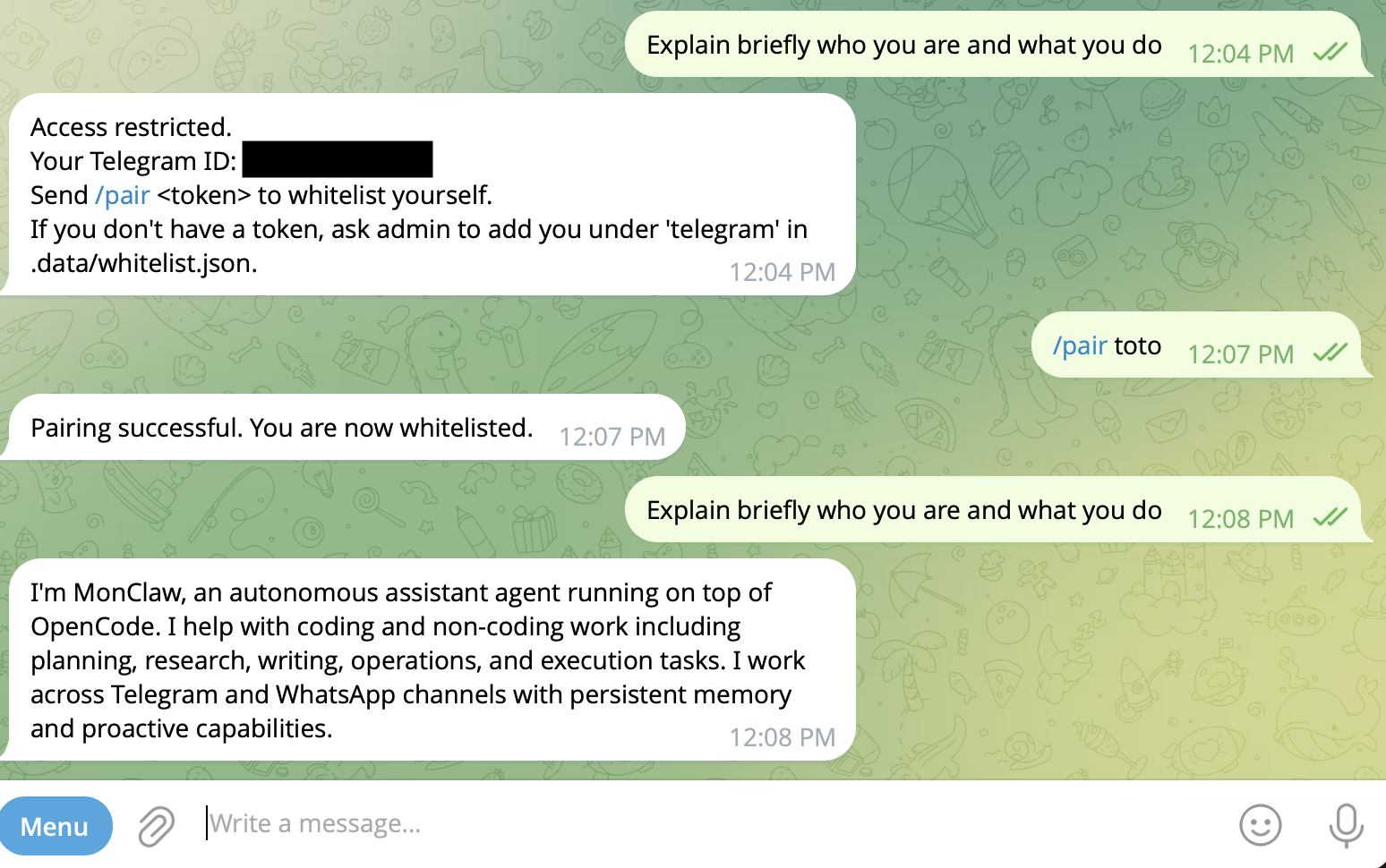
By default, anyone can talk to the bot. That’s not great. So, like Openclaw, we add a whitelist: a list of allowed user IDs persisted on disk. If someone messages the bot and they’re not in the list, they get a short pairing instruction telling them how to add themselves. That’s it. Minimal security, but good enough for a personal assistant.
For a deep dive into Opencode, check out the following video: